Ringtone Maker Online
Convert any song or audio file to a ringtone for your phone. Choose iPhone (M4R) or Android (MP3) format and download in seconds.
How to Make a Custom Ringtone for iPhone and Android
Upload any MP3, WAV or M4A file — or use a song you generated in Songly. Choose the format for your phone, and the converter will automatically trim and convert your audio to the perfect ringtone.
User Reviews
Kate M.
Finally found a simple tool to make ringtones! Converted my favorite song for iPhone in seconds. The M4R file worked perfectly — just drag to Finder and done.
Alex P.
Great for making custom Android ringtones. I uploaded my AI-generated birthday song and now it plays when my wife calls. She loved the surprise!
Maria S.
So convenient that it works right from the song card! Generated a song in Songly, clicked 'Make ringtone' — and instantly got a ringtone for my phone.
David K.
Simple and fast. No need to install any apps — just upload, choose format and download. Works great for both iPhone and Android.
Frequently Asked Questions
How to set a ringtone on iPhone?
Download the M4R file, connect your iPhone to a computer, open Finder (macOS) or iTunes (Windows), drag the M4R file to the Tones section, then go to Settings → Sounds & Haptics → Ringtone and select your new ringtone.
How to set a ringtone on Android?
Download the MP3 file to your phone, go to Settings → Sound → Phone Ringtone, tap 'Add ringtone' or 'Choose from files', select the downloaded MP3 file. The steps may vary slightly depending on your Android version.
What audio formats are supported?
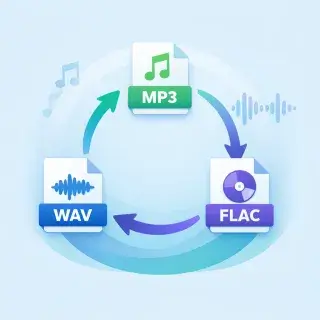
You can upload files in MP3, WAV, and M4A formats. The converter will automatically process and convert them to the ringtone format you choose.
What is the maximum ringtone length?
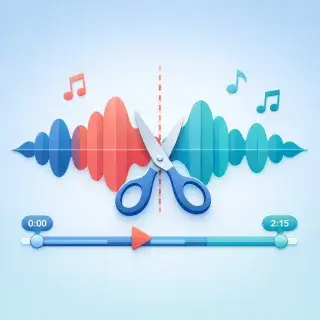
iPhone ringtones (M4R) can be up to 40 seconds long, Android ringtones (MP3) up to 30 seconds. If your audio is longer, it will be automatically trimmed from the beginning.
How much does it cost to make a ringtone?
Ringtone conversion costs 19 energy points. New users receive free energy daily, so you can try the tool right away.
What is the difference between M4R and MP3 ringtones?
M4R is the ringtone format for iPhone — it uses AAC encoding and is required by iOS. MP3 is a universal format that works on Android phones and most other devices.
How the Ringtone Converter Works
- Upload an audio file (MP3, WAV, M4A) or select a song from your Songly library
- Choose the format: iPhone (M4R) or Android (MP3)
- Click 'Convert to Ringtone' — the file will be automatically trimmed and converted
- Download the ringtone and set it on your phone using the instructions in FAQ
Why Use Our Ringtone Maker
- Works online — no apps to install
- Supports iPhone (M4R) and Android (MP3) formats
- Automatic trimming to the correct length (40 sec iPhone, 30 sec Android)
- Integrates with Songly — convert your AI-generated songs to ringtones in one click
- Fast and secure — conversion takes just seconds