Living Portrait
Upload a portrait and describe the animation
Examples of created videos
User Reviews
Made my LinkedIn profile picture wink! Got so many profile views. People love it!
Used on dating app and matches increased by 300%! Animated photos definitely stand out!
Created a talking portrait for my presentation. Everyone asked how I did it. So cool!
Made my Instagram avatar blow kisses. Followers doubled in a month! Best social media hack!
Create Animated Portrait Videos
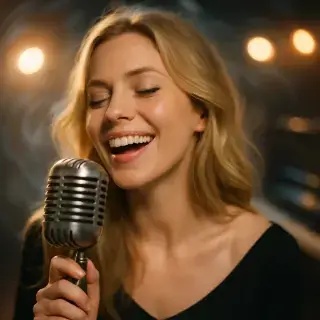
Make portraits come alive! Perfect for bringing personality to profile pictures, creating engaging content, or just having fun with photos. It's like magic – static faces suddenly have expressions, movements, and life!

Available Quality Options
720p video with generated sound and voice.
720p video using the full Grok 1.5 model, with generated sound and voice.
1080p video using the full Grok 1.5 model, with generated sound and voice.
What Makes This Cool
Realistic Expressions
AI creates natural-looking smiles, winks, and other facial movements
Style Options
Keep it realistic or transform into cartoon, anime, or artistic styles
Add Voice
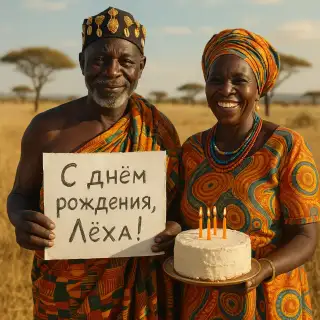
Make the portrait talk or sing with sound generation
Profile Videos
Perfect for creating unique profile videos for social media
Making Your Portrait Live
- Upload a clear portrait photo
- Choose what expression or action you want
- Pick if you want realistic or stylized look
- Add sound if desired
- Share your living portrait!
Fun Uses
Social Media Avatars
Replace static profile pics with animated portraits that grab attention
Dating Apps
Stand out on dating apps with a living portrait instead of static photos
Virtual Presenters
Create animated presenters for videos or presentations
Creative Projects
Use in art projects, stories, or any creative work needing animated faces
Portrait Tips
- Use well-lit, clear face photos for best results
- Front-facing portraits work better than side angles
- Try subtle animations first before complex ones
- Experiment with different styles for different vibes
- Add sound for maximum impact and engagement
Frequently Asked Questions
How long does video generation take?
Video generation typically takes 2-5 minutes depending on the selected quality and current server load.
Can I use generated videos commercially?
Yes, all generated videos are yours to use for any purpose, including commercial projects.
What video formats are available?
Videos are generated in high-quality MP4 format, ready for sharing on any platform.
What's the difference between quality options?
Standard offers 720p video at a lower price. High uses the full model at 720p, and Full HD at 1080p. All three include generated sound. Standard offers 10 or 15 seconds; High and Full HD offer 5, 10 or 15 seconds. Loop is available in Standard at 10 or 15 seconds.