動画に字幕を追加 オンライン
動画ファイルをアップロードするだけで、AIが選択した言語で字幕を生成した新しい動画を作成します。
オンラインで動画に字幕を追加する方法
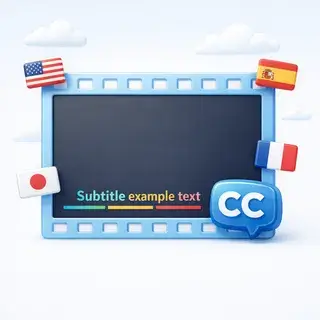
動画をアップロードして字幕言語を選択すると、アニメーション字幕が焼き付けられた新しい動画が作成されます。AIが音声を認識・翻訳し、動画に直接レンダリングします。
仕組み
- 動画ファイルをアップロード(MP4, AVI, MOV, WebM、最大100MB)
- 30以上の対応言語から字幕言語を選択
- AIが音声を認識し、エラーを修正して字幕を翻訳
- アニメーション字幕が動画に直接レンダリングされます
- 字幕付きの完成動画、またはVTT字幕ファイルをダウンロード
対応フォーマットと制限
- 動画フォーマット: MP4, AVI, MOV, WebM
- 最大ファイルサイズ: 100 MB
- 最大再生時間: 10 分
- 出力: アニメーション字幕付きMP4動画 + ダウンロード可能なVTTファイル
ユーザーレビュー
マイケル・T
旅行の動画をアップロードしたら、完璧なスペイン語の字幕が付きました。背景ノイズがあってもAIが音声をはっきりと認識してくれました。
アンナ K.
動画のアクセシビリティを高めるための素晴らしいツールです。ロシア語の動画に数分で英語の字幕を追加できました。
カルロス M.
字幕のアニメーションがプロフェッショナルに見えます。単なるテキストの重ね合わせよりもずっと良いです。
User
よくある質問
AI字幕生成はどのように機能しますか?
AIが動画内の音声を認識してテキストに変換し、文脈を使って誤りを修正し、選択した言語に翻訳して、アニメーション字幕を動画に直接レンダリングします。
対応している動画形式は何ですか?
MP4、AVI、MOV、WebM形式の動画をアップロードできます。最大ファイルサイズは100MB、最大時間は10分です。
何ヶ国語に対応していますか?
英語、スペイン語、フランス語、ドイツ語、日本語、アラビア語など、30以上の言語の字幕に対応しています。
字幕を個別にダウンロードすることはできますか?
はい!生成後、ほとんどの動画プレーヤーやプラットフォームと互換性のあるVTT形式で字幕ファイルをダウンロードできます。