הוספת כתוביות לסרטון אונליין
העלו קובץ וידאו וקבלו סרטון חדש עם כתוביות שנוצרו על ידי AI בשפה שבחרתם.
איך להוסיף כתוביות לווידאו אונליין
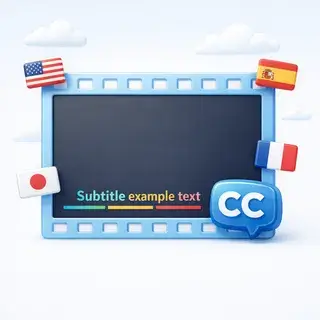
העלו סרטון, בחרו את שפת הכתוביות וקבלו סרטון חדש עם כתוביות מונפשות מוטמעות. ה-AI מזהה דיבור, מתרגם ומרנדר את הכתוביות ישירות לתוך הווידאו.
איך זה עובד
- העלו את קובץ הווידאו שלכם (MP4, AVI, MOV, או WebM, עד 100 מ"ב)
- בחרו את שפת הכתוביות מתוך יותר מ-30 שפות זמינות
- ה-AI מזהה דיבור, מתקן שגיאות ומתרגם כתוביות
- כתוביות מונפשות מרונדרות ישירות לתוך הווידאו
- הורידו את הווידאו המוכן עם הכתוביות או את קובץ הכתוביות בפורמט VTT
פורמטים נתמכים ומגבלות
- פורמטי וידאו: MP4, AVI, MOV, WebM
- גודל קובץ מקסימלי: 100 מ"ב
- משך זמן מקסימלי: 10 דקות
- תוצאה: וידאו MP4 עם כתוביות מונפשות + קובץ VTT להורדה
ביקורות משתמשים
העליתי את סרטון הטיול שלי וקיבלתי כתוביות מושלמות בספרדית. ה-AI זיהה את הדיבור בבירור גם עם רעשי רקע.
כלי נהדר להנגשת סרטונים. הוספתי כתוביות באנגלית לסרטון שלי ברוסית תוך דקות.
אנימציית הכתוביות נראית מקצועית. הרבה יותר טוב מסתם טקסט רגיל.
שאלות נפוצות
איך עובד מחולל כתוביות AI?
ה-AI מזהה דיבור בסרטון, הופך אותו לטקסט, מתקן שגיאות באמצעות הקשר, מתרגם לשפה שבחרת ומטמיע כתוביות מונפשות ישירות לתוך הסרטון.
אילו פורמטי וידאו נתמכים?
ניתן להעלות סרטוני MP4, AVI, MOV ו-WebM. גודל קובץ מקסימלי הוא 100 MB ומשך זמן מקסימלי הוא 10 דקות.
כמה שפות נתמכות?
מעל 30 שפות נתמכות לכתוביות, כולל אנגלית, ספרדית, צרפתית, גרמנית, יפנית, ערבית ועוד רבות.
האם ניתן להוריד את הכתוביות בנפרד?
כן! לאחר היצירה, ניתן להוריד את קובץ הכתוביות בפורמט VTT, התואם לרוב נגני הווידאו והפלטפורמות.