Thêm phụ đề vào video trực tuyến
Tải lên tệp video và nhận video mới với phụ đề do AI tạo bằng ngôn ngữ bạn chọn.
Cách thêm phụ đề vào video trực tuyến
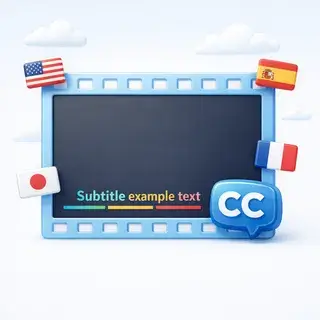
Tải video lên, chọn ngôn ngữ phụ đề và nhận video mới với phụ đề hoạt hình được chèn trực tiếp. AI nhận dạng giọng nói, dịch thuật và hiển thị phụ đề ngay trong video.
Cách thức hoạt động
- Tải lên tệp video của bạn (MP4, AVI, MOV hoặc WebM, tối đa 100 MB)
- Chọn ngôn ngữ phụ đề từ hơn 30 ngôn ngữ có sẵn
- AI nhận dạng giọng nói, sửa lỗi và dịch phụ đề
- Phụ đề hoạt hình được hiển thị trực tiếp vào video
- Tải xuống video hoàn chỉnh có phụ đề hoặc tệp phụ đề VTT
Định dạng hỗ trợ và giới hạn
- Định dạng video: MP4, AVI, MOV, WebM
- Kích thước tệp tối đa: 100 MB
- Thời lượng tối đa: 10 phút
- Đầu ra: Video MP4 với phụ đề hoạt hình + tệp VTT có thể tải xuống
Đánh giá của người dùng
Tôi đã tải video du lịch của mình lên và nhận được phụ đề tiếng Tây Ban Nha hoàn hảo. AI nhận diện giọng nói rất rõ ràng ngay cả khi có tiếng ồn nền.
Công cụ tuyệt vời để làm video dễ tiếp cận hơn. Đã thêm phụ đề tiếng Anh vào video tiếng Nga của tôi chỉ trong vài phút.
Hiệu ứng phụ đề trông rất chuyên nghiệp. Tốt hơn nhiều so với việc chèn văn bản thông thường.
Câu hỏi thường gặp
Quy trình tạo phụ đề bằng AI hoạt động như thế nào?
AI nhận diện giọng nói trong video, chuyển đổi thành văn bản, sửa lỗi bằng ngữ cảnh, dịch sang ngôn ngữ bạn chọn và kết xuất phụ đề động trực tiếp vào video.
Những định dạng video nào được hỗ trợ?
Bạn có thể tải lên các video MP4, AVI, MOV và WebM. Kích thước tệp tối đa là 100 MB và thời lượng tối đa là 10 phút.
Có bao nhiêu ngôn ngữ được hỗ trợ?
Hơn 30 ngôn ngữ được hỗ trợ cho phụ đề, bao gồm tiếng Anh, tiếng Tây Ban Nha, tiếng Pháp, tiếng Đức, tiếng Nhật, tiếng Ả Rập và nhiều ngôn ngữ khác.
Tôi có thể tải riêng tệp phụ đề không?
Có! Sau khi tạo, bạn có thể tải tệp phụ đề ở định dạng VTT, tương thích với hầu hết các trình phát video và nền tảng.